
Layout Fixer iOS 9
Follow these steps to install Layout Fixer on iPad or iPhone




-
1. Install Layout Fixer
When you tap the install button below you will be presented with two dialog boxes.
-
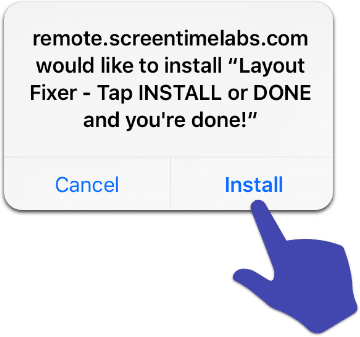
2. Tap Install
On the first one, tap Install and wait a few seconds.

-
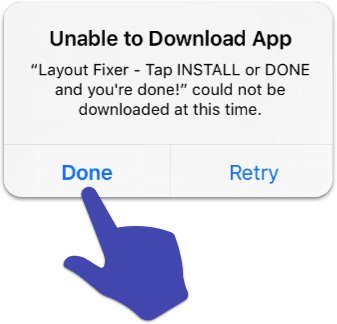
3. Tap Done
The second dialog box will say ‘Unable to Download App’ but that’s okay! Tap Done anyway.
-
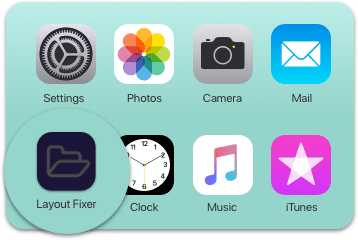
All set!
You should now see a grayed out Layout Fixer icon with the text “Layout Fixer” underneath. If you do then you’re all set (we did say it was quirky)!
NOTE: The Layout Fixer app will not work if it’s put into a folder, so please ask your children to leave it where it is when it’s installed.