
#1 Text Monitoring App for Parents
Monitor SMS, MMS and third-party messaging apps on your child’s Android device. View photos taken or saved locally on their phone.

No Credit Card Required




Powerful, All-in-One Text Monitoring Platform
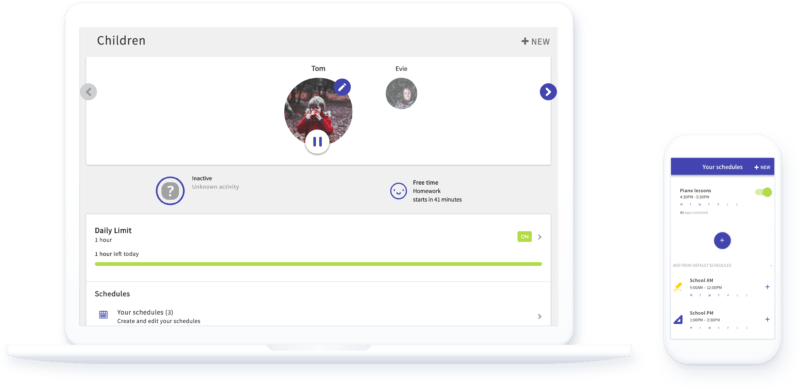
-
Monitor Your Child’s Text Messages
Screen Time supports monitoring of incoming and outgoing SMS and MMS messages. Every message will be available to view in the order it was collected through the Android parent app or our web dashboard.
-
Monitor 3rd Party Messaging Apps
Monitoring of third-party messaging apps is also supported but is limited to inbound notifications only due to the restrictions of the Android platform. Third-party apps include WhatsApp, Viber, Kik and other popular platforms.
-
View Photos On Your Child’s Phone
Ensure your child is not being exposed to inappropriate content or sharing risky photos. Screen Time allows parents to see any photos saved on their kid’s Android device or sent/received via a text message.
What Parents Have to Say
I love being able to block you tube and chrome on my kids phones. They are able to use other apps if I approve. Talking about proper phone usage is the best way to teach kids. This app helps the kids stay within safe boundaries.
As Seen On





Protect Your Kids From a Variety of Dangers
Keep your children out of trouble with text and photo monitoring. Be aware if they’re being exposed to inappropriate images, making unapproved after-school plans, or anything else they may be conversing about.
-
Cyberbullying
Cyberbullying can be difficult for your kids to open up about if they’ve been on the receiving end. Or they could unknowingly be engaged in activities that are hurting another child’s feelings. No matter the situation, you can stay in the loop with their conversations to spot any risky behavior.
-
Text Scams
These days, scammers can be pretty convincing, especially for unsuspecting children. Ensure that they don’t fall victim to these text message-based traps.
-
Inappropriate Content
Whether it’s an inappropriate photo or a link to an unsavory website, you can stay alert about what content your child may be discussing or consuming.
Additional Parental Monitoring Resources

Should Parents Check Their Child’s Phone and Monitor Text Messages?
While privacy needs to be a consideration, it should be balanced against safety. Kids should understand the difference between monitoring and spying and that you are responsible for their safety. Clear family policies and honest discussion of why monitoring is happening is key.
How to Document Cyberbullying: Block, Mute, and Report
A practical approach to cyberbullying involves blocking the offender on the app, muting them through operating system and app controls, and reporting them using the app’s tools. You can also control apps and their behavior with parental control software.
Are These Five Instant Messaging Apps Safe for Kids?
Keeping kids safe online can feel daunting, but it’s especially so with instant-messaging apps. Which apps are the safest for kids, and what should you know about them?
Your Teen’s Profile Pic: What You Should Know
Every social network will push you to add a profile picture. It draws you more into the platform, makes it more likely people will respond and react, and creates, in the best case, a sense of community. For teens, in particular, it can be an issue of safety and self-confidence.