[vc_section] Follow these step by step instructions to set up privacy settings on Xbox Live The Xbox Live privacy settings allow you to choose who your child can interact with online with their Xbox. They are pretty limited but you can set up more parental controls through the Xbox settings on the device itself.
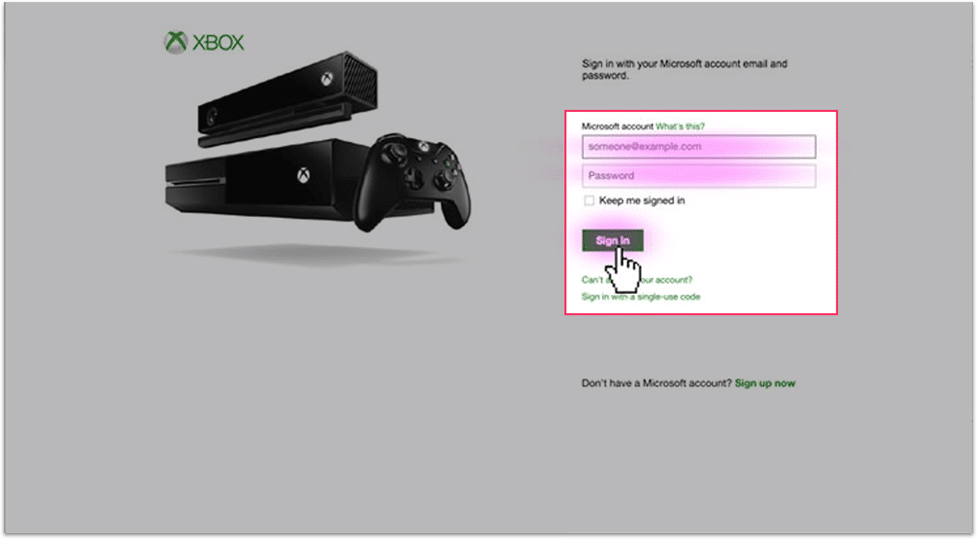
Open your Xbox account through a web browser and sign into Xbox Live using your email address and password.
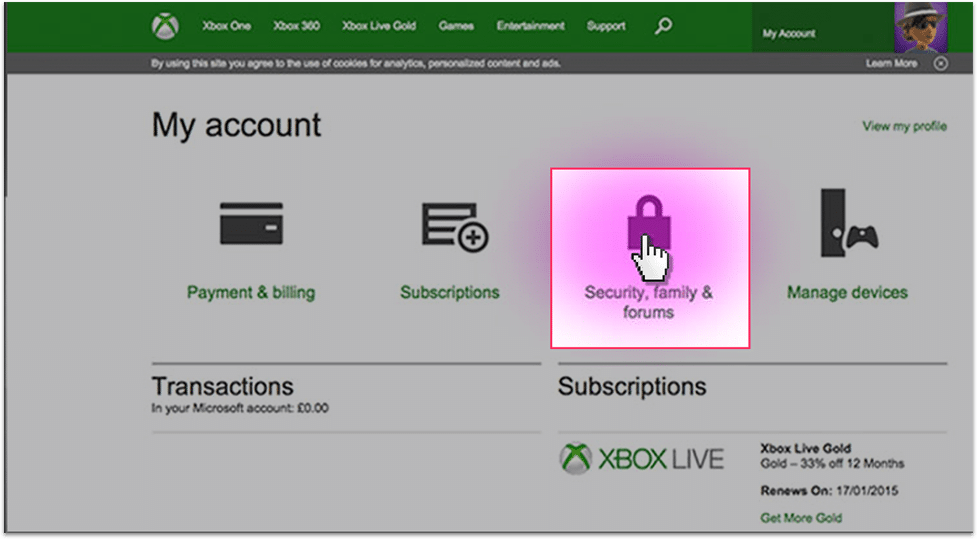
If not already selected, choose Account in the top left-hand corner of the screen, then click on Security, family & forums.
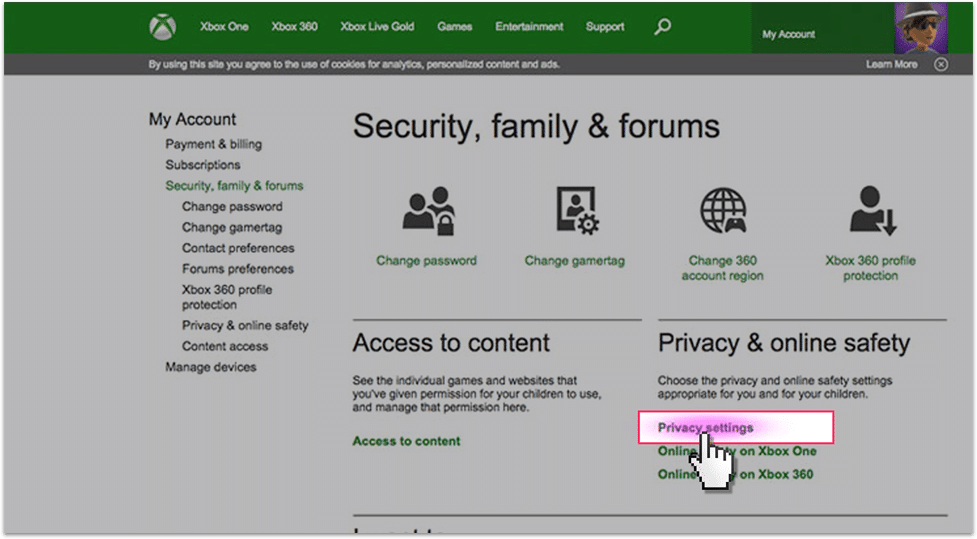
Then click on Privacy settings.
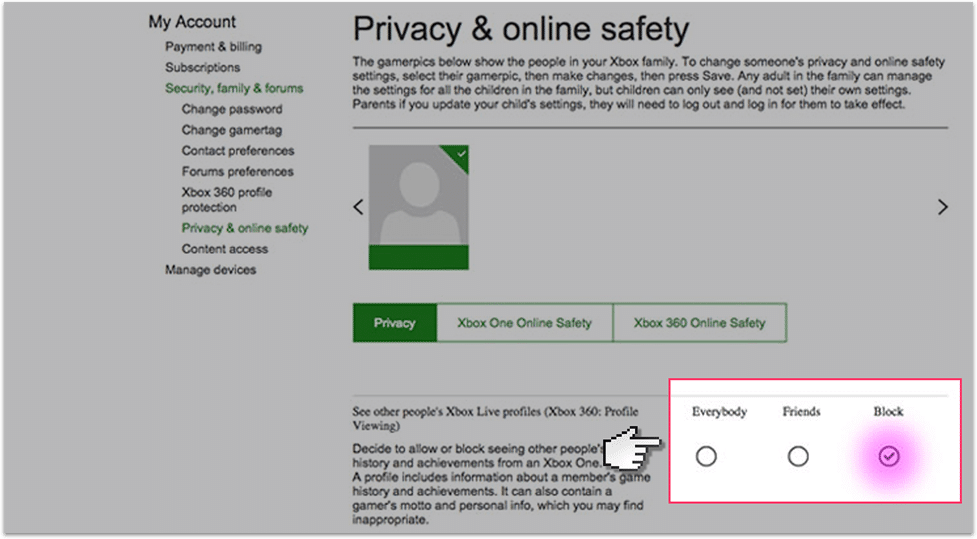
In privacy select Block to prevent other people from seeing your child’s profile (which can contain personal information) and your child from seeing others profiles as well.
Xbox Live parental controls
Watch an introduction to Xbox Live
Step by step instructions
Step 1
Step 2
Step 3
Step 4
News From The Blog
Recommended Screen Time by Age: Here’s What the Experts Say
by Screen Time Team
Is Social Media Causing Body Image Issues for Your Child?
by Screen Time Team
“Funny” Milk Crate Social Media Challenge Is Injuring Kids
by Screen Time Team
9 Creative Sites for Budding Artists
by Screen Time Team